
Features
Everything you expect from a messenger. Privately.
HIVOXTOK brings chatting, calling and planning together. Every feature respects the essentials: your conversations belong to you.
Private, end-to-end encrypted messages
Messages, photos, files and voice notes are encrypted on your device. The server delivers them but can't read them.


- Every conversation has its own key
- Verify encryption with your contact
- Disappearing messages and view-once photos
- App lock and locked chats
- Optionally over the Tor network with your IP address hidden
Voice messages with transcripts
Don't feel like typing? Hold the mic. Voice messages show a waveform and can be transcribed to text.
- Slide to cancel
- Automatic transcription
- One player, no overlapping playback
- Read messages aloud
Groups, threads and sub-threads
A group for family, team or an event — with threads per topic inside. Each thread can have its own members.

- Sub-threads with their own members
- Add a new member to one, several or all threads
- Replies, reactions, mentions and pinned messages
- Polls and shared lists
Group calls and video conferences
Voice and video calls with several people at once. Whoever is speaking is highlighted and enlarged automatically.

- Automatic active-speaker focus
- Speaker or grid view
- Live captions translated into your language
- Picture-in-picture and lock-screen calls
Dictaphone and voice notes
Speak a note and HIVOXTOK transcribes it. SENTRA turns it into a summary and tasks and saves it to your Notes.

- Record with pause and bookmarks
- Automatic transcript
- Summary and tasks by SENTRA
- Everything saved in Notes
Notes during calls and meeting minutes
Take your own notes while on a call. A video conference becomes minutes with a summary, decisions, tasks and the next date.

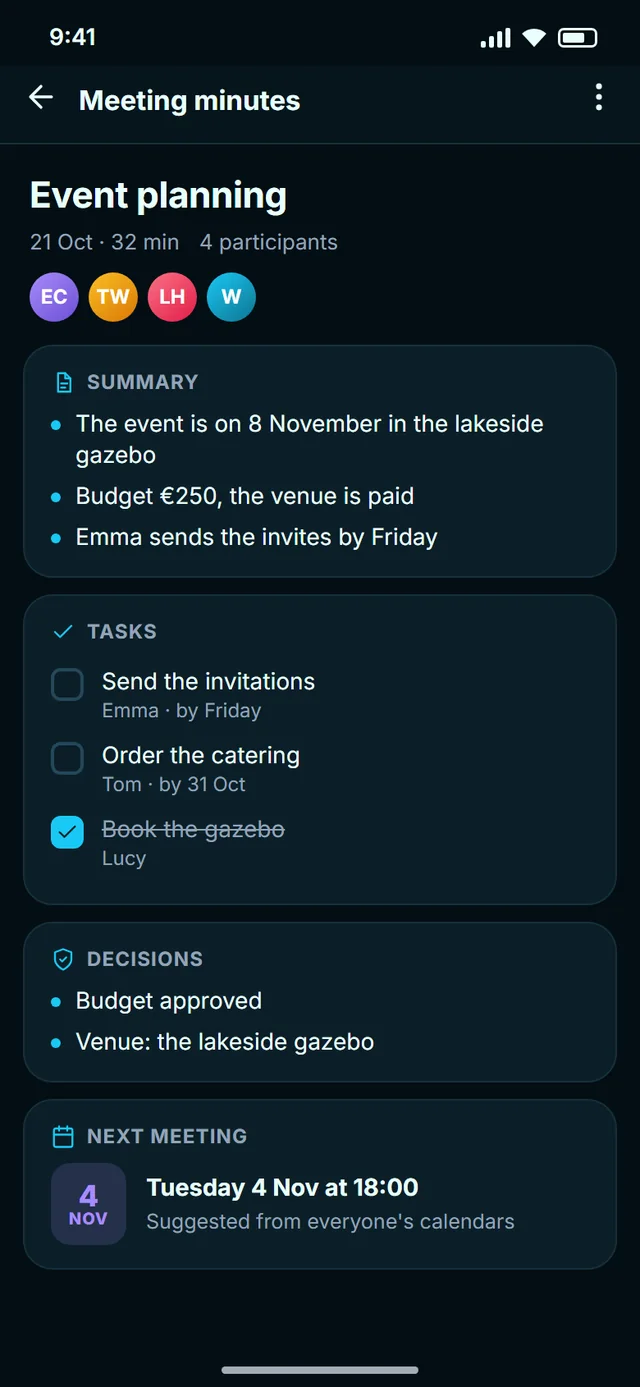
- Notes right inside the call
- Summary, decisions and tasks
- A suggested date for the next meeting
- Each participant saves their own copy — only with everyone's consent
Assistant
An optional helper that summarises a long thread, reminds you and helps you plan. It only works with what you show it.
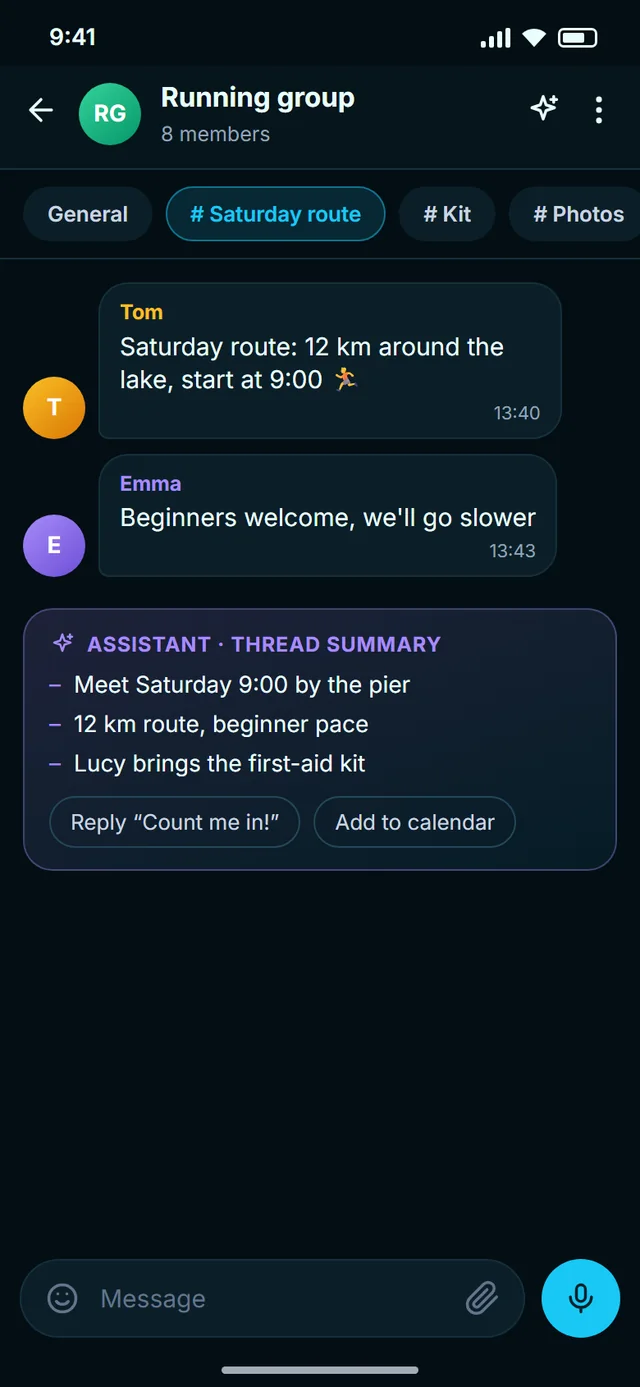
- You switch it on, not the other way round
- Summaries and reply suggestions
- On-device message translation
- Notes and calendar at hand
Web and Windows
Chat from your computer: the Windows app also does calls, and HIVOXTOK Web opens in your browser with nothing to install.


- Windows 10 and 11 with messages and calls
- HIVOXTOK Web: messages in the browser
- Web login by scanning a QR code with your phone
- Encryption happens in the browser too

Try HIVOXTOK for free
Start on your phone, then add your computer or browser.